


How can you use Codex to write engaging posts instead of generic copy? The prompt “write an interesting article” is too vague: Codex does not know your audience, your editorial angle, or what good content means for your publication. A Skill solves this by storing your editorial rules once and applying them to every new draft.
In this tutorial, we will build a personal Codex editor called seo-article-reviewer. It will identify the target reader, assess whether the opening earns attention, check for a fresh angle and concrete examples, and flag passages where interest may drop. It will then review the structure, factual support, and SEO readiness. You can follow the same process in Codex CLI, an IDE extension, or the Codex app.
In short: a Skill is a folder containing the required
SKILL.mdfile and optional scripts, references, and assets. Codex can run it explicitly by name or select it automatically from its description.
How Skill helps you write interesting posts
An interesting post begins not with a set of keywords, but with a clear promise to the reader. A good editorial Skill checks five things: who the material is addressed to, what question it solves, what new it offers, how it supports the conclusions, and why you want to finish reading the text. Therefore, the same Skill can be applied to news, expert columns, instructions, or publications for social networks.
- Before Skill: general text, predictable introduction and a lot of abstract language.
- After checking: clear audience, strong angle, compelling lead, specificity and logical rhythm.
- Practical benefits: Codex does not write instead of the author, but shows exactly where the post loses the reader’s attention and how to fix it.
$seo-article-reviewer

Review my draft as an editor of engaging posts:
- who it is written for and what it promises the reader;
- whether the headline and opening paragraph earn attention;
- whether it has a fresh angle, specifics, and examples;
- where the writing becomes dry or predictable.

Suggest improvements first. Do not rewrite the text without my approval.
What are Skills in Codex and why are they needed?
According to the official OpenAI guide, Skills extend Codex with specialized instructions, resources, and optional scripts. They use progressive disclosure: the agent initially sees only the name, description, and path, then loads the full SKILL.md when the Skill is needed.
- Repeatability: the same process is performed according to the same checklist.
- Time saving: a long promt does not have to be reassembled.
- Control: In Skill you can explicitly specify restrictions and mandatory checks.
- Teamwork: The repository Skill can be stored along with the project.
- Extensibility: added if necessary
scripts/,references/Andassets/.
A Skill is useful when a task is a distinct, repeatable process. For permanent repository rules such as test commands or style conventions, AGENTS.md is usually a better fit. Use MCP to connect external services and data; use a normal prompt for a one-off requirement.
What we will create: an editor for interesting posts
Our example first evaluates the interest for the reader, and then the technical readiness of the publication. It will not automatically “improve” the author’s text: Skill produces a report, explains where attention is weak, sorts problems by priority and offers metadata. It performs full editing only after a direct command from the user.
Final scenario
- Submit a draft post or article to Skill.
- Find out who the text is addressed to and whether its main angle is strong enough.
- Find a weak introduction, dry passages and a lack of specific examples.
- Get critical, important, and optional fixes.
- Prepare SEO title, meta description and internal link options.
Step 1. Launch the built-in Skill Creator
The easiest way is to call the built-in $skill-creator. In the CLI and IDE you can open the list with the command /skills or start input with a character $. Give the creator a specific name, trigger conditions, expected results and prohibitions.
$skill-creator

Create a skill named seo-article-reviewer.

It must review an article draft before publication for:
- target audience and the main promise to the reader;
- freshness of the angle and strength of the opening;
- concrete examples and passages where the writing becomes dry;
- search intent;
- title, introduction, and H2/H3 structure;
- factual attribution and sources;
- internal-link opportunities;
- SEO title and meta description;
- image filenames, alt text, and captions.

Group findings by priority: critical, important, optional.
Do not rewrite the article unless explicitly asked.
Save the skill in $HOME/.agents/skills.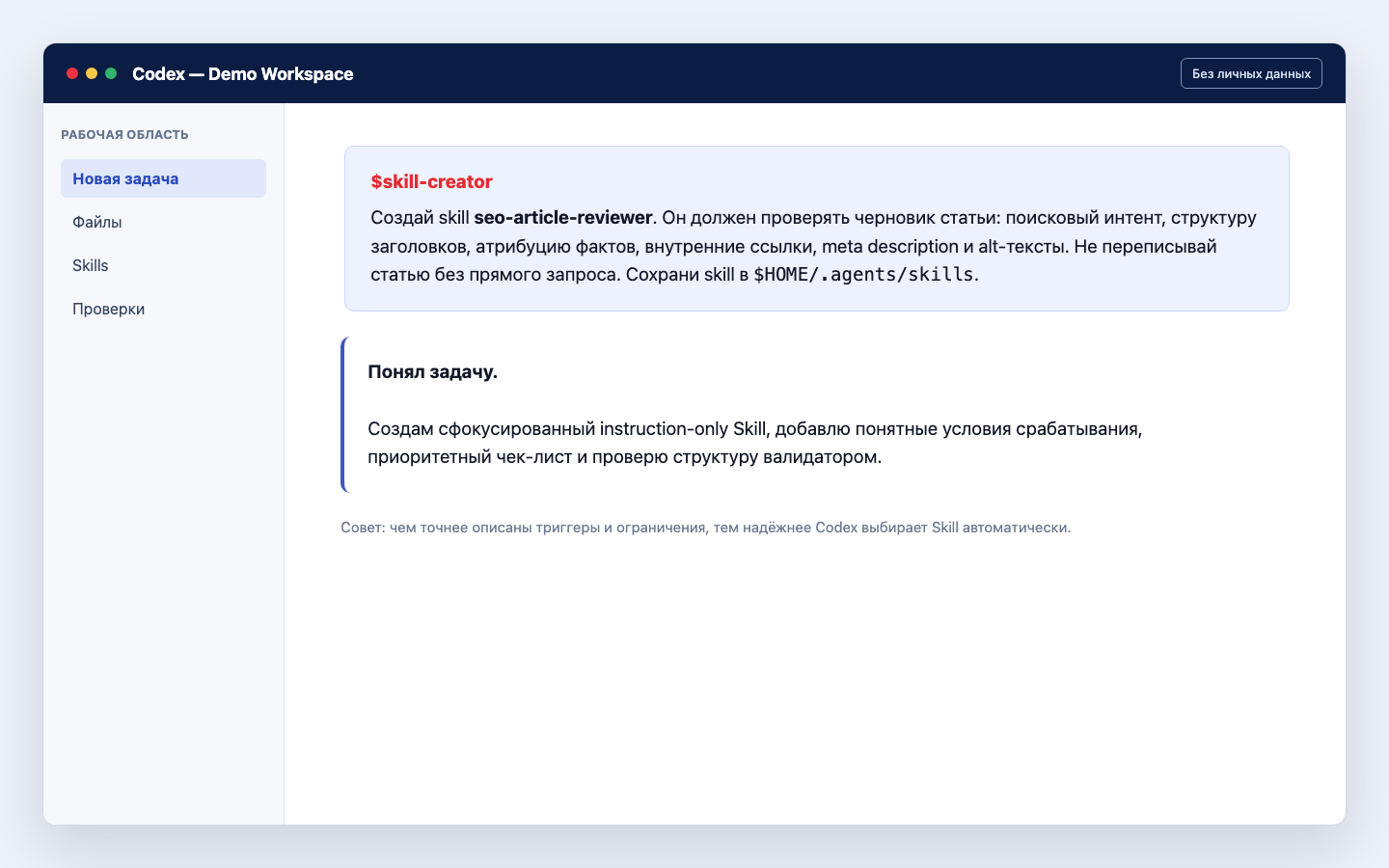
$HOME path.Why this promt works: It describes not only the action, but also the boundaries. The phrase “do not rewrite without a direct request” protects the author’s text, and the specified result format makes different checks comparable.
Step 2: Check your folder structure
The minimum Skill consists of a folder and a file SKILL.md. It is recommended to write the folder name in lowercase Latin letters, numbers and hyphens. For our example, the structure looks like this:
.agents/skills/
└── seo-article-reviewer/
    └── SKILL.md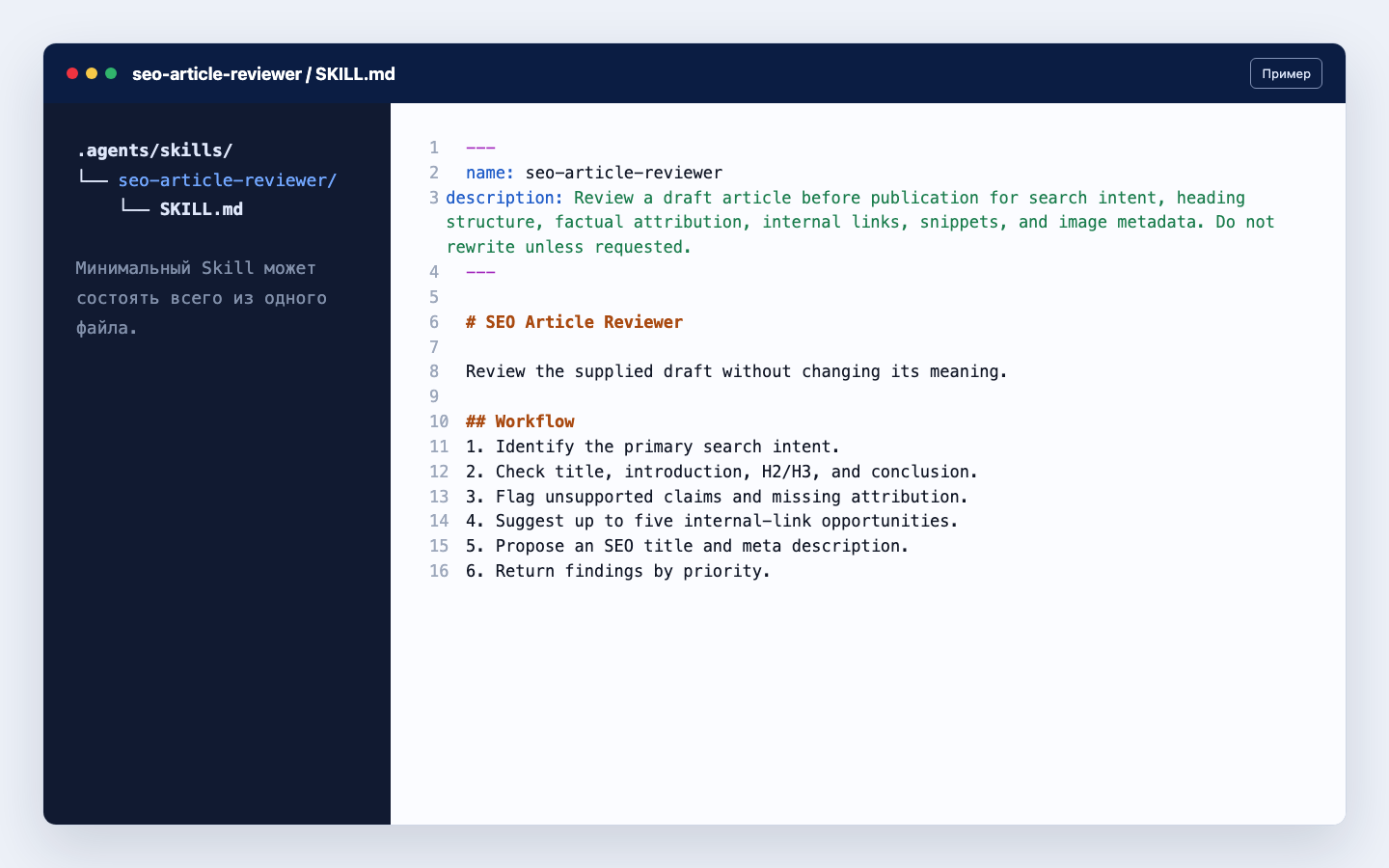
SKILL.md file.Codex is looking for repository Skills in directories .agents/skills from the current folder to the repository root. Personal Skills can be stored in $HOME/.agents/skills. The repository option is convenient for the team: Skill is versioned along with the code and is available to all project participants.
Step 3. Set up SKILL.md
The file starts with YAML frontmatter. Field name sets the name and description helps Codex understand when to use Skill. The description should be written especially carefully: indicate the action, triggers and important restrictions.
---
name: seo-article-reviewer
description: Review a draft post before publication for audience fit, angle, opening hook, specificity, readability, factual attribution, structure, and SEO. Use when the user asks to make a post more interesting or prepare an article for publication. Do not rewrite the article unless explicitly requested.
---

# SEO Article Reviewer

Review the supplied draft without changing its meaning.

## Workflow

1. Identify the target reader, primary question, and single promise of the post.
2. Check the angle, title, opening hook, specificity, and concrete examples.
3. Flag dry or predictable passages and explain where attention may drop.
4. Check the H2/H3 hierarchy, conclusion, factual attribution, and sources.
5. Suggest three stronger angles or headlines without rewriting the full draft.
6. Suggest up to five internal-link opportunities.
7. Propose an SEO title of up to 60 characters and a meta description of up to 160 characters.
8. Check image filenames, alt text, captions, and placement.
9. Return findings by priority: critical, important, optional.

## Output

- One-paragraph verdict
- Prioritized checklist
- SEO title and meta description
- Recommended internal links
- Publication readiness score from 0 to 100

Do not invent facts, sources, quotes, traffic estimates, or keyword volumes.
Do not rewrite the full draft unless explicitly requested.
It is better to write instructions in an imperative form and not overload with obvious explanations. If the Skill grows, it is better to move detailed documentation to references/, repeatable reliable operations – in scripts/, and the templates are in assets/.
Step 4: Test the Skill Before Launching
Ask $skill-creator check the created folder and fix frontmatter errors. The built-in validator checks required fields and naming rules. A successful result looks like this:
$skill-creator

Review the skill at:
$HOME/.agents/skills/seo-article-reviewer

Fix structural errors and run the built-in validation.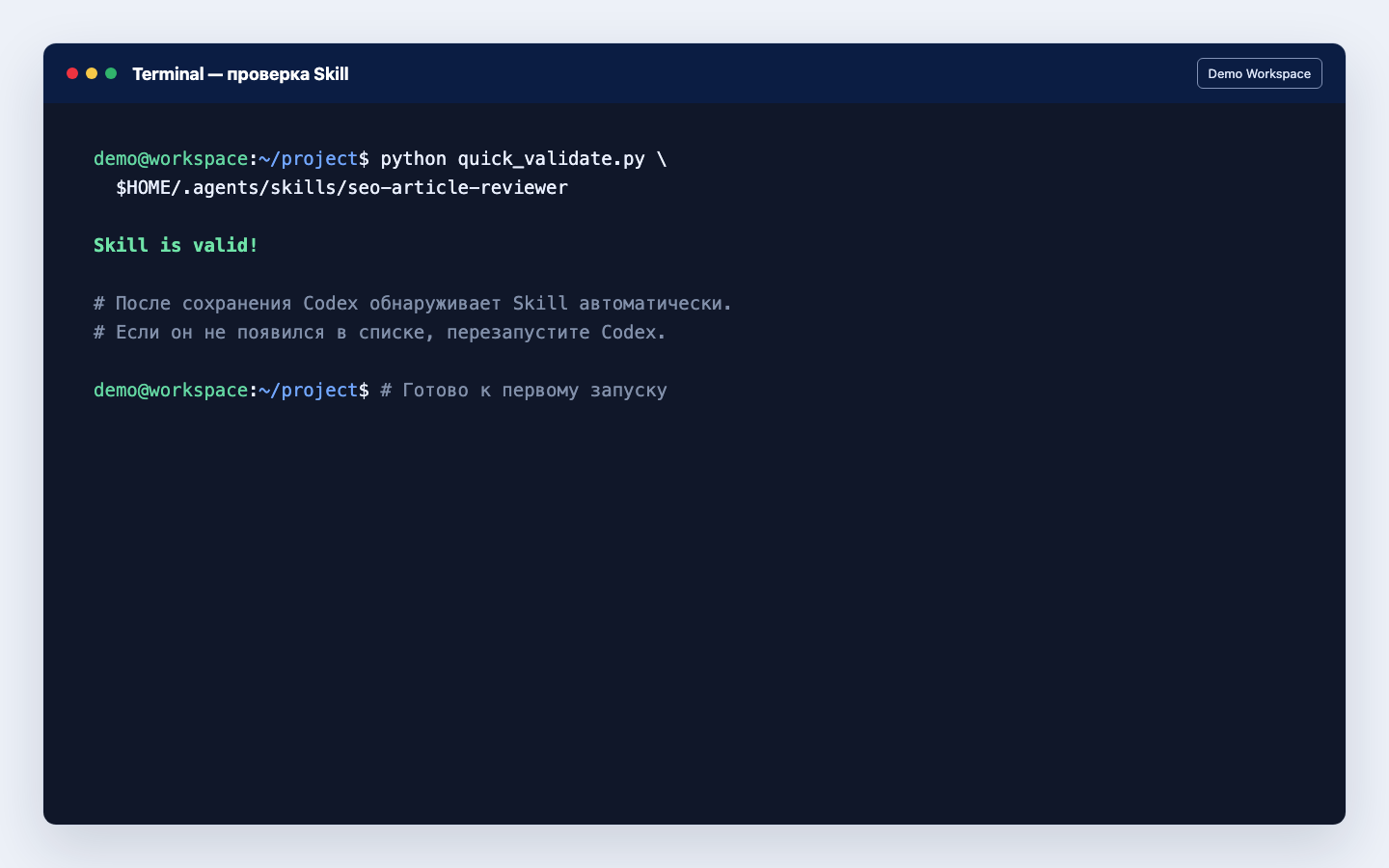
Skill is valid!.Codex usually detects changes automatically. If Skill does not appear in the list, restart the application, CLI, or IDE extension. Before using it in production, it is useful to test it on two or three different drafts: good, weak and borderline.
Step 5. Launch Skill explicitly
For the first test it is better to use an explicit call. This way you know exactly which script Codex is using.
$seo-article-reviewer

Review draft.md as an editor of engaging posts before publication.
Do not edit the file.
Show where the reader's attention may drop.
Return stronger angle options, a prioritized checklist,
an SEO title, meta description, and readiness score.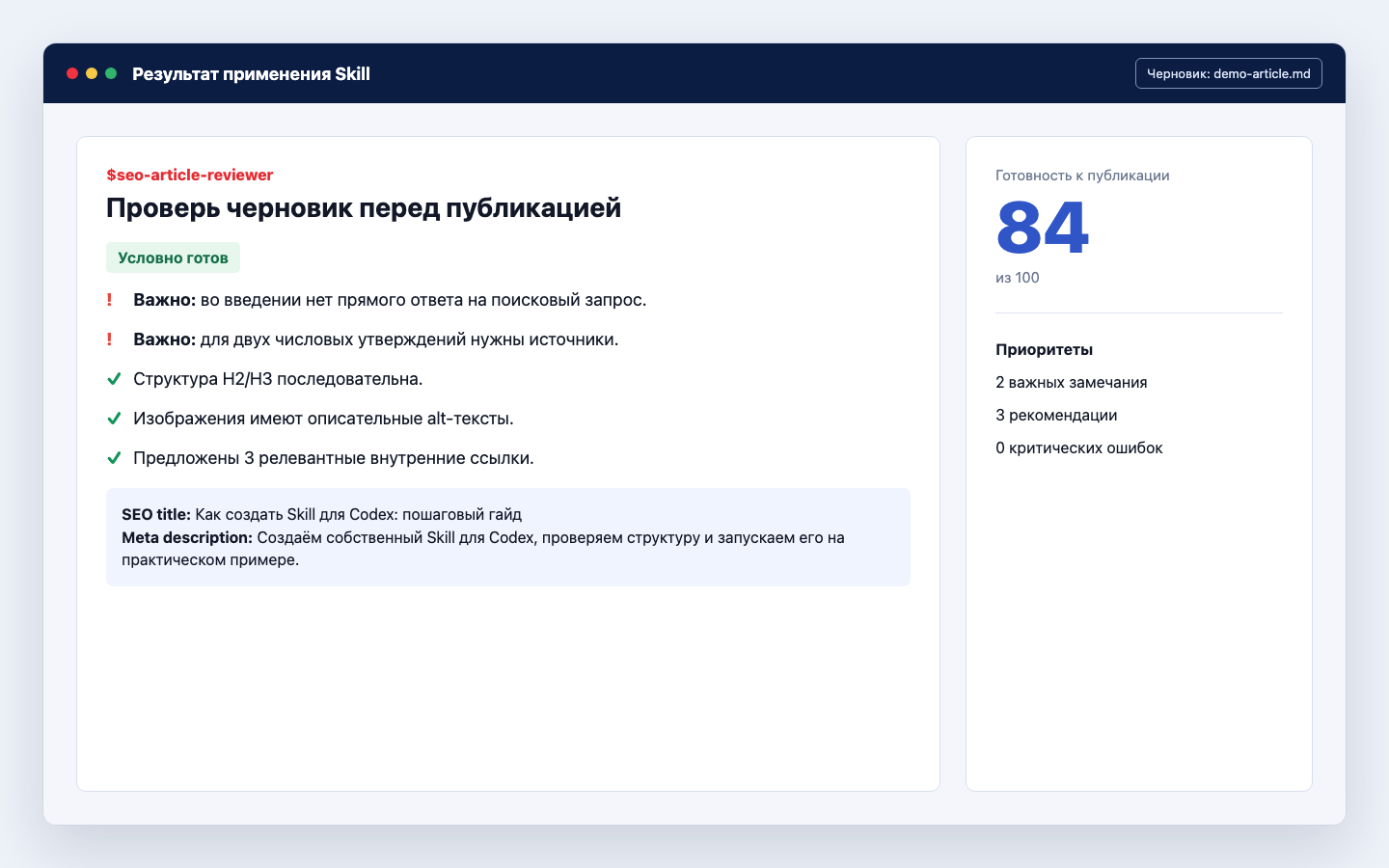
After several successful runs, you can check the implicit response with the usual phrase: “Check this draft before SEO publishing.” Codex will match the request with description. If a Skill is selected too often, narrow the description; if not selected, add real formulations with which you usually pose the task.
How to strengthen Skill: scripts, references and assets
Start with the instruction-only version. A script is needed not for the sake of complexity, but when an operation must produce a deterministic result: for example, check the length of metadata, parse HTML, or generate a JSON report.
seo-article-reviewer/
├── SKILL.md
├── scripts/
│   └── check_metadata.py
├── references/
│   └── editorial-policy.md
└── assets/
└── report-template.mdscripts/– repeatable logic that is important to execute in the same way.references/— editorial rules, diagrams, reference books and detailed documentation.assets/— report templates, images and other files for the results.
If you’re developing your AI skills, it’s also helpful to check out our resource on preparation of industrial materials for neural networks. A good Skill begins with an understanding of the task and clear boundaries – just like a good industrial process.
Security: what not to put in Skill and screenshots
- Passwords, API keys, cookies, SSH data and private tokens.
- Real home paths with username if you post a screenshot.
- Internal URLs, client documents and confidential rules without permission.
- Delete or publish commands without explicit restrictions or checks.
- Secrets in examples: use
$HOME,example.comand environment variables.
The screenshots in this article are created as impersonal demo screens. They do not contain real accounts, addresses, keys, work paths or fragments of closed projects.
Common mistakes when creating Skills
- Skill too broad. “Do everything for SEO” is worse than checking the article separately.
- Blurred description. Codex doesn’t understand when to include a script.
- Too much text. Leave only knowledge that the agent cannot reliably infer on its own.
- There are no negative restrictions. Make it clear that it cannot be rewritten, published, or deleted.
- There is no real test. Valid YAML does not guarantee a useful result.
- Script without verification. Any added script must be run on a safe example.
FAQ: Frequently asked questions about Skills for Codex
How is Skill different from AGENTS.md?
AGENTS.md stores permanent repository rules: commands, style, checks and conventions. A Skill describes a single, reusable workflow that runs on a task.
Do I need to code to create a Skill?
No. For an instruction-only Skill, the correct one is sufficient SKILL.md. Scripts are added only when programmatic and repeatable logic is truly needed.
Can Codex launch Skill automatically?
Yes. Codex matches the request to the field description. For a predictable first test, use an explicit mention $name-skill.
Where to store Skill for the team?
In the repository, inside .agents/skills. Then the Skill can be checked via Git, discussed in a pull request and updated along with the project.
How to share Skill with other developers?
It is convenient to store a local folder in a repository. For wider distribution, OpenAI recommends packaging one or more Skills into a plugin. Additional examples are available at OpenAI Skills repositories and in open specification Agent Skills.
Conclusion
A good Codex Skill is not a giant universal prompt. It is a consistent editor with clear criteria. It turns the vague request “write an interesting post” into a manageable process: identify the reader, find a strong angle, strengthen the opening, add specifics, and only then handle SEO. Test the Skill on a real draft and refine its rules for your own style and subject.
The main illustration was created using artificial intelligence. The step-by-step images are impersonal demonstration screens.
Related workflow: for team-based AI automation, see how to install and govern Claude Tag in Slack.




Comments on this article