


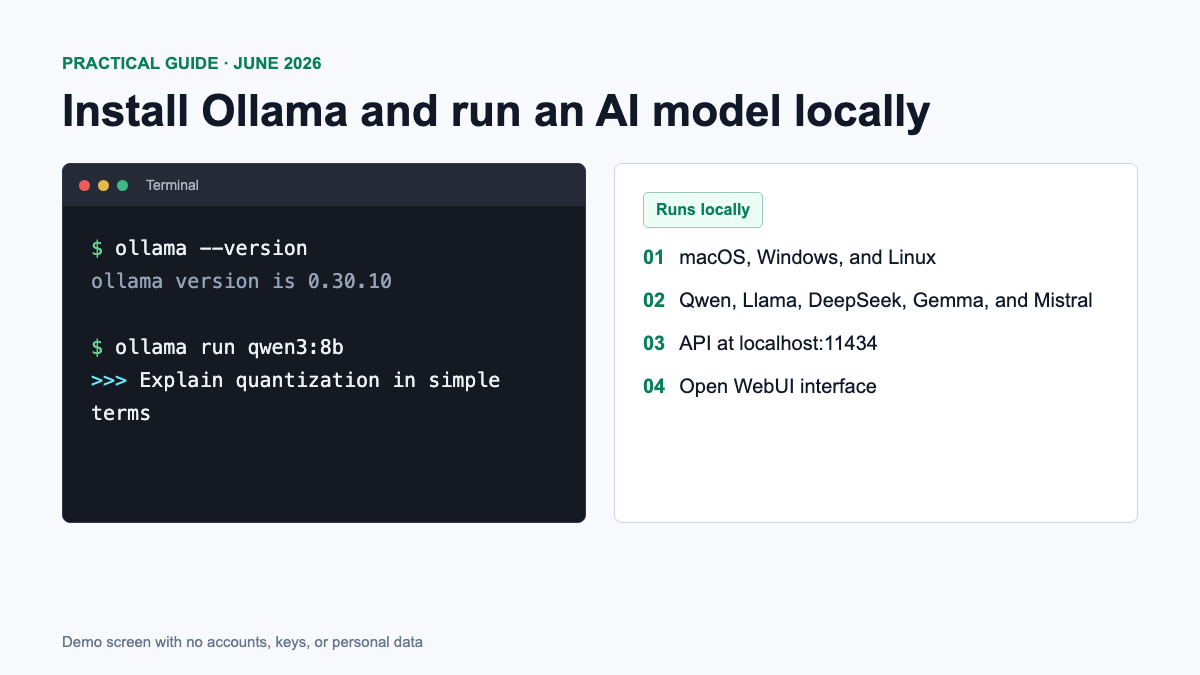
Ollama allows you to run language models on your own computer: Requests to the local model are processed without sending text to a third-party cloud chat. In this instruction, we will install Ollama on macOS or Windows, launch the first model, check the API and, if desired, add the Open WebUI graphical interface.
Current as of June 21, 2026. Latest stable release – Ollama v0.30.10, published June 17. The interface and commands may change in future versions.
What is Ollama and why is it needed?
Ollama is a free tool for downloading and running open models locally. Its official library includes Qwen, Llama, DeepSeek, Gemma, Mistral, and other model families. Ollama manages model files, uses available GPU acceleration, and provides a local API at http://localhost:11434.
After loading the local model, the Internet is not needed for normal dialogue. However, it is required for installation, updates and downloading of models. In addition, Ollama has cloud models: if privacy is a concern, choose a local model tag and check where the request is being made.
System requirements: how much memory will be needed
The official documentation specifies operating system and GPU compatibility requirements, but does not specify a universal RAM or VRAM minimum. Memory consumption depends on model size, quantization, and context length. Therefore, the table below is a practical guide and not a guarantee of performance.
| Configuration | Where to start | Comment |
|---|---|---|
| 8 GB RAM | llama3.2:1b or llama3.2:3b | Suitable for learning the basics; close memory-heavy apps |
| 16 GB RAM / unified memory | qwen3:4b, sometimes qwen3:8b | A practical minimum for compact models |
| 32 GB | 8B–14B models | More headroom for context and other running apps |
| 32–64 GB or more | qwen3:30b, qwen3-coder:30b | The model file is about 19 GB, but additional memory is required |
- macOS: Requires macOS Sonoma 14 or later. Apple Silicon uses the GPU through Metal and shared memory; Intel Mac is supported in CPU mode.
- Windows: Requires Windows 10 22H2 or later. The installer works without administrator rights.
- NVIDIA: By official compatibility list You need compute capability 5.0+ and an up-to-date driver; for new versions, the documentation indicates driver 531+.
- Disk: A Windows installation requires at least 4 GB, and models take up from hundreds of megabytes to tens and hundreds of gigabytes.
Step 1: Install Ollama on macOS
The clearest way is to open official download page, download Ollama.dmg, move the application to the Applications folder and run it. When you launch it for the first time, Ollama will prompt you to add the command ollama to the system PATH.
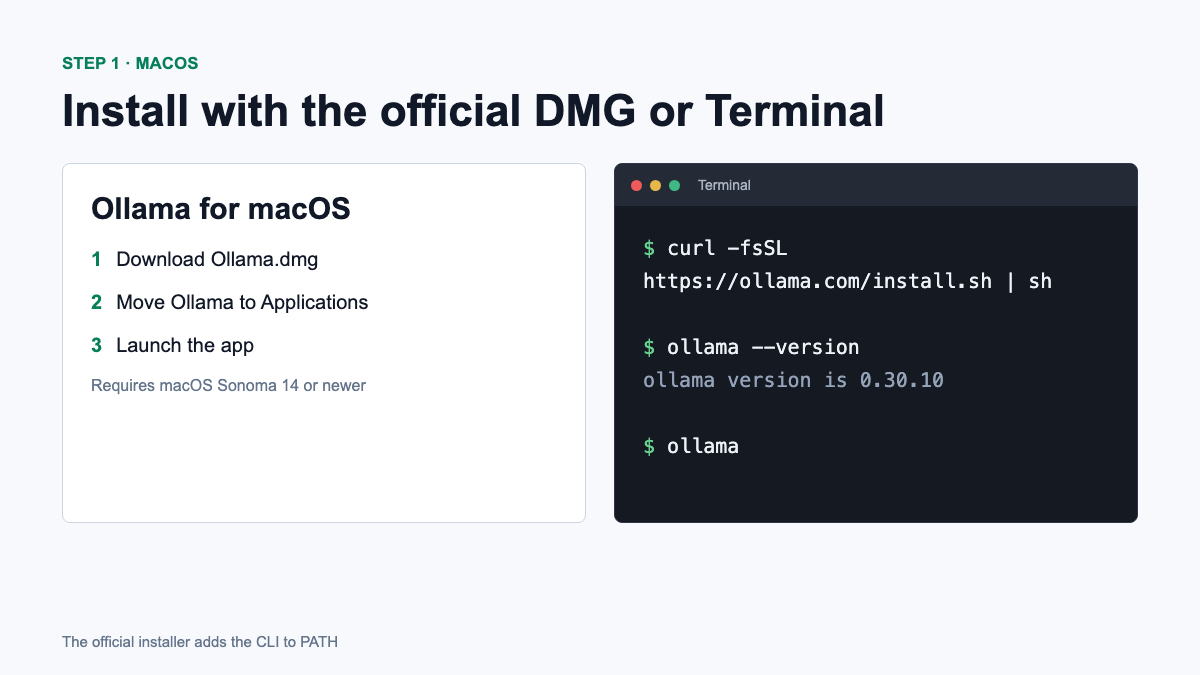
An alternative official method is to install with one command:
curl -fsSL https://ollama.com/install.sh | shOllama is also available through Homebrew, but it is a third-party manager package. If you’re already using Homebrew:
brew install ollamaAfter installation, close and reopen Terminal, then check the version:
ollama --versionStep 2: Install Ollama on Windows
On Windows, download OllamaSetup.exe from the official page. In the v0.30.10 release, the installer is about 1.3 GB. It does not require administrator rights and installs in the user’s home directory by default.
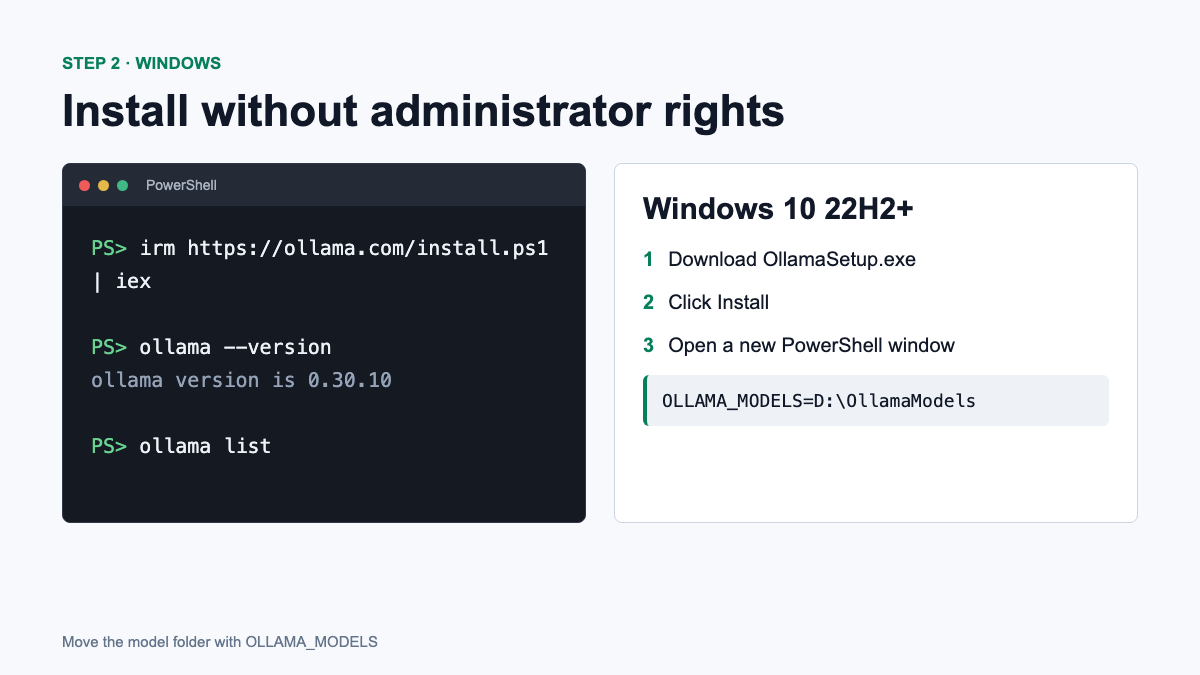
Official installation via PowerShell:
irm https://ollama.com/install.ps1 | iexOnce complete, open a new PowerShell window and run:
ollama --versionHow to transfer models to another drive
If there is little space on drive C, open “Change environment variables for your account”, create a variable OLLAMA_MODELS and indicate, for example, D:\OllamaModels. After saving, close Ollama completely in the system tray and launch it again. This procedure is described in Ollama documentation for Windows.
Installation on Linux
For most Linux systems, the official project offers the same installation script:
curl -fsSL https://ollama.com/install.sh | shAfter installation, check the service with the commands ollama --version And systemctl status ollama. For NVIDIA, AMD and experimental Vulkan, check the latest hardware support page.
Step 3. Download and run the first model
The ollama run command downloads the model and then opens an interactive chat. On a computer with 8 GB RAM, start with the compact Llama 3.2:
ollama run llama3.2:3bWith 16 GB of memory, try qwen3:4b first, then qwen3:8b if the system has enough headroom:
ollama run qwen3:4b
ollama run qwen3:8b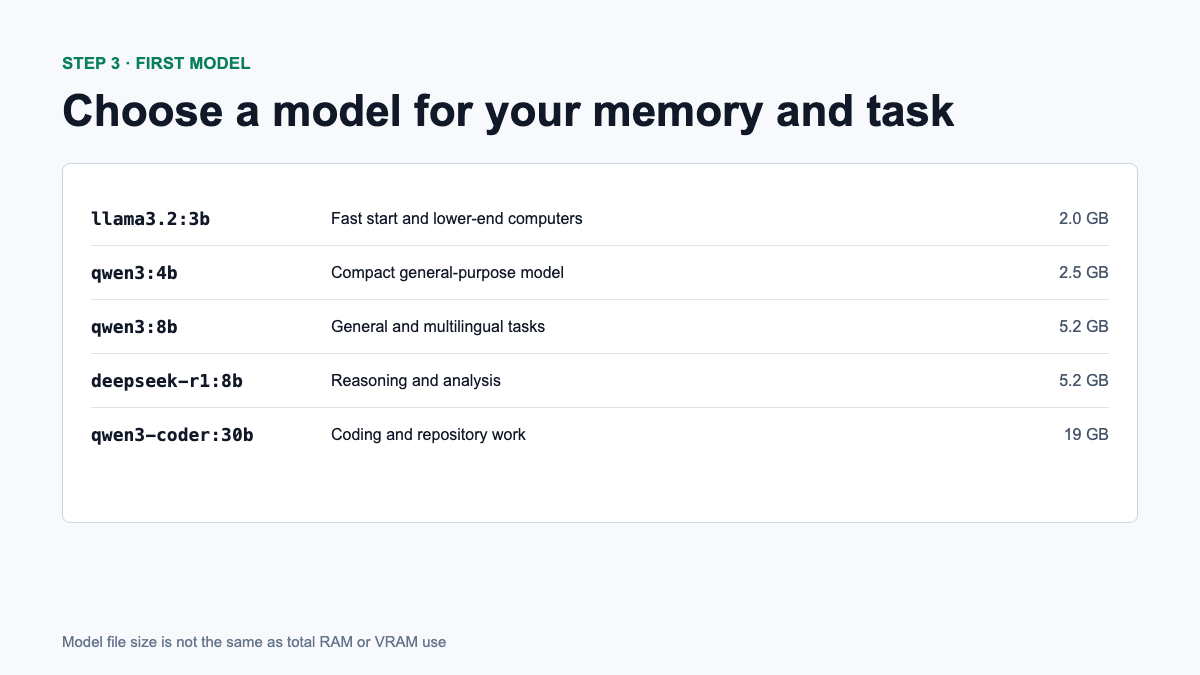
Enter a question after the prompt >>>. To exit use /bye or combination Ctrl+D. Useful commands:
ollama list
ollama ps
ollama pull qwen3:8b
ollama rm qwen3:8b
ollama list— show downloaded models.ollama ps— show models loaded into memory.ollama pull— download or update the model.ollama rm— delete the model from the disk.
Which models to choose in June 2026
| Model | Load Size | Suitable for |
|---|---|---|
llama3.2:3b | 2.0 GB | First launch, summarization, simple tasks |
qwen3:4b | 2.5 GB | Compact universal assistant |
qwen3:8b | 5.2 GB | Texts, analysis, multilingual tasks |
deepseek-r1:8b | 5.2 GB | Reasoning, mathematics and analytics |
qwen3:30b | 19 GB | More complex universal tasks |
qwen3-coder:30b | 19 GB | Programming and working with more context |
The download sizes come from the official model cards for Qwen 3, Qwen3-Coder, DeepSeek-R1, and Llama 3.2. They are file sizes, not exact RAM consumption figures.
Step 4: Check your local API
When Ollama is running, the API is available locally on port 11434. Checking the list of models:
curl http://localhost:11434/api/tagsExample of a single request to a model:
curl http://localhost:11434/api/generate \
  -d '{"model":"qwen3:4b","prompt":"Explain what a local LLM is","stream":false}'
Step 5: Install Open WebUI
If the terminal is inconvenient, Open WebUI adds an interface similar to the usual chat. First install Docker Desktop then run the command from official Open WebUI instructions:
docker run -d -p 3000:8080 \
  --add-host=host.docker.internal:host-gateway \
  -e OLLAMA_BASE_URL=http://host.docker.internal:11434 \
  -v open-webui:/app/backend/data \
  --name open-webui --restart always \
  ghcr.io/open-webui/open-webui:main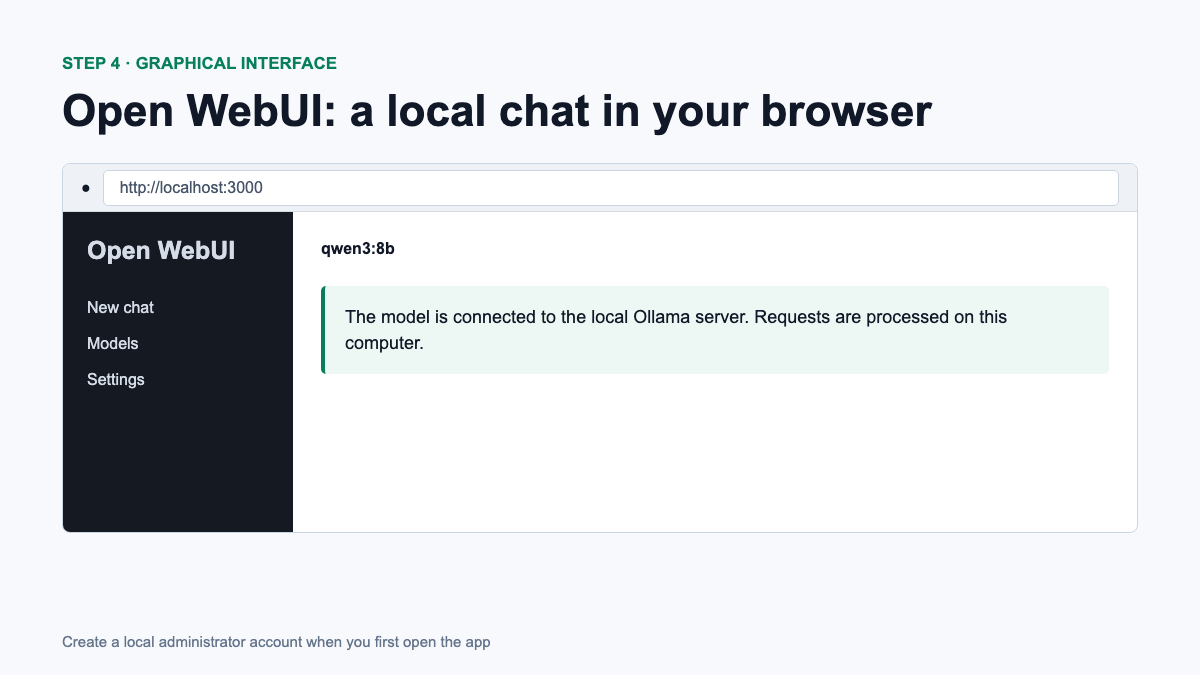
http://localhost:3000 and create a local administrator account.Tag :main updated over time. For a stable working installation, Open WebUI recommends pinning a specific version of the image. Also, do not open port 3000 to the Internet without authentication, HTTPS and basic server security.
What to do if Ollama doesn’t work
- Command not found: restart the terminal; on macOS, check for the link in
/usr/local/bin. - The model is too slow: choose a smaller model, reduce the context, and close memory-hogging applications.
- Using CPU instead of GPU: update the driver and check the video card with the official support list.
- Not enough space: remove unnecessary models via
ollama rmor transfer the model catalog. - Open WebUI doesn’t see Ollama: check if it responds
http://localhost:11434/api/tags, and whether it is set correctlyOLLAMA_BASE_URL.
FAQ
Is Ollama completely free?
The tool itself is free. Each model has its own license that must be verified before commercial use. Cloud functions may also have separate terms and conditions.
Can I use Ollama without a video card?
Yes, local models can run on the CPU, but generation is usually noticeably slower. Start with model 1B–3B.
Does Ollama work without the Internet?
After installing and loading the local model – yes. The Internet will be needed to download and update models, as well as for cloud functions.
Which model is better for the first launch?
For 8GB RAM start with llama3.2:3b. For 16 GB try qwen3:4band then qwen3:8b, if the system retains sufficient memory.
Conclusion
For the first acquaintance, just install Ollama in the official way, check ollama --version and launch a compact model. Don’t start with 30B models just because they look more powerful: a small model that fits entirely in available memory often gives a better, faster local experience.
The cover and step-by-step images are designed as impersonal display screens. They do not contain real accounts, keys, home directories or other personal data.




Comments on this article